Spotify Integration
Last updated: October 2, 2025
Overview
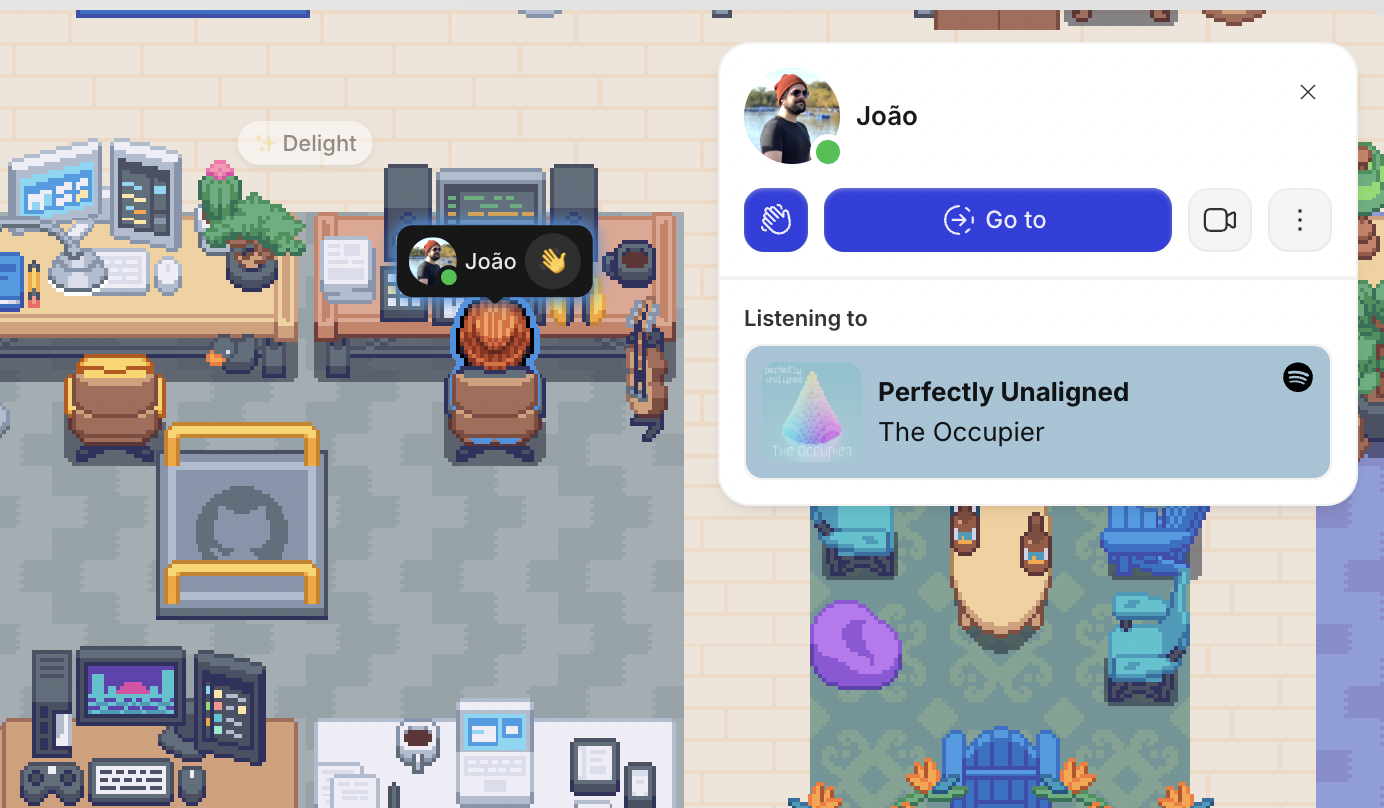
Share your Spotify activity while you’re online. When teammates click on your name or avatar, they’ll see what you’re currently listening to, creating opportunities to connect over your favorite tracks.
To Connect Spotify
Open the Main Menu (Gather logo) in the left sidebar
Click Settings > Integrations > Spotify
Click the Login with Spotify button
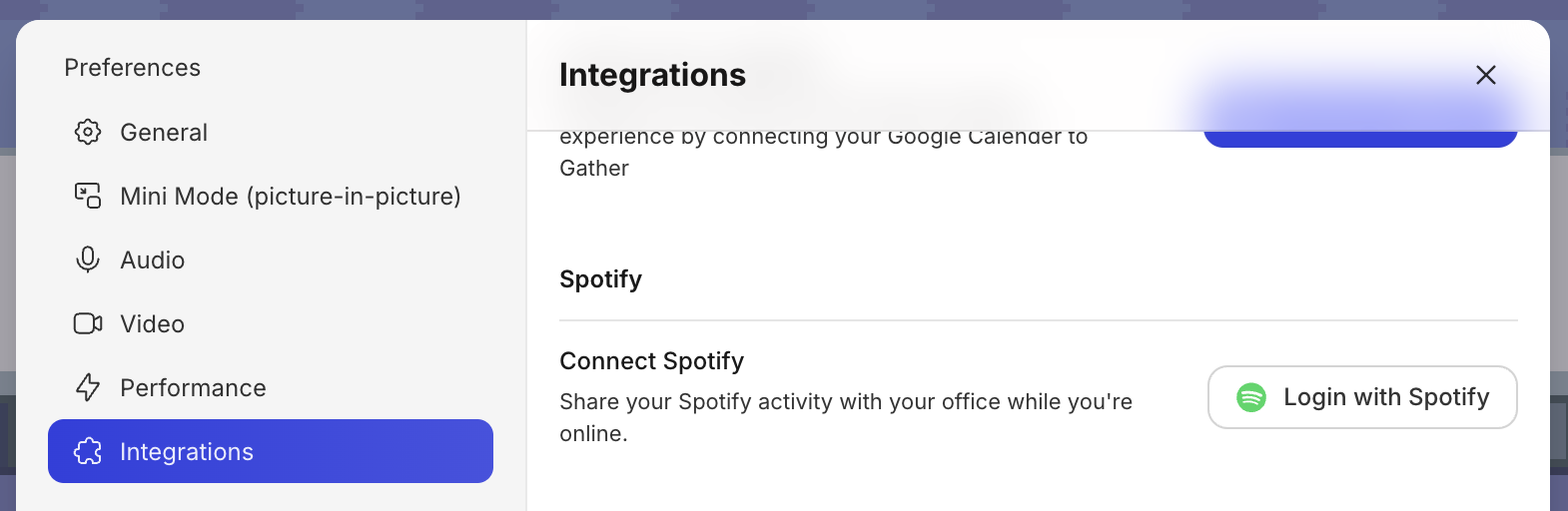
This will open Spotify in a new browser tab. Follow the instructions to grant Gather permission.
You’re all set! Now whenever you listen to music, your teammates will be able to see what’s streaming.
To Disconnect Spotify
Open the Main Menu (Gather logo) in the left sidebar
Click Settings > Integrations > Spotify
Click the Disconnect account button

Done! You’re now signed out and will no longer share your listening status.
FAQs
Will my “Now Playing” update instantly?
It can take about 30 seconds for the song you’re playing in Spotify to reflect in Gather.
Why isn’t the song I’m playing showing in Gather?
Make sure you connected Gather to the correct account playing music in Spotify. (It may be a different email than your Gather account.)
If in doubt, follow the steps above to disconnect the Spotify Integration and then try reconnecting.
If you continue to have issues, please feel free to contact our support team.
To submit a bug report or share feedback:
Open the Main Menu and select ‘Report an issue’
Or email support@gather.town