Set System & Desktop Browser Permissions
Last updated: June 2, 2026
Gather must request permission to use your microphone, camera, and to record screens for screen sharing. This guide will explain how to check your system and browser settings to ensure a smooth experience.
The best way to use Gather is with our Desktop App. If using a desktop browser, we recommend using the latest version of Google Chrome.
Learn more: 📄 Browser Support Policy
Mac Settings
When you update the Gather 2.0 Desktop App to version 0.30.0, it will re-prompt for microphone, camera, and screenshare permissions after installation, due to a security update.
Open System Preferences and select Privacy & Security.
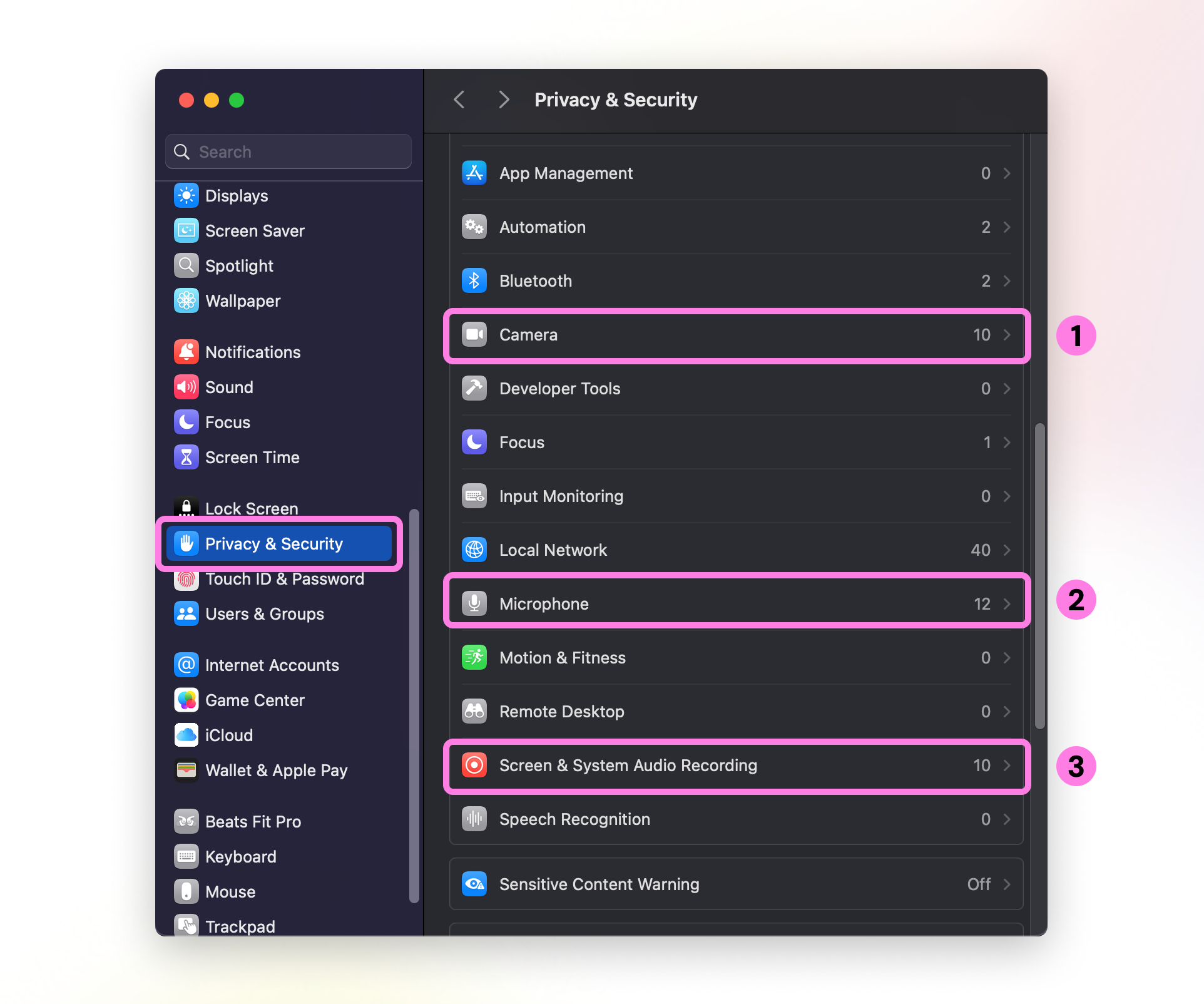
Check Camera, Microphone, and Screen & System Audio Recording to see if the GatherV2 Desktop App or your browser has been granted permission.
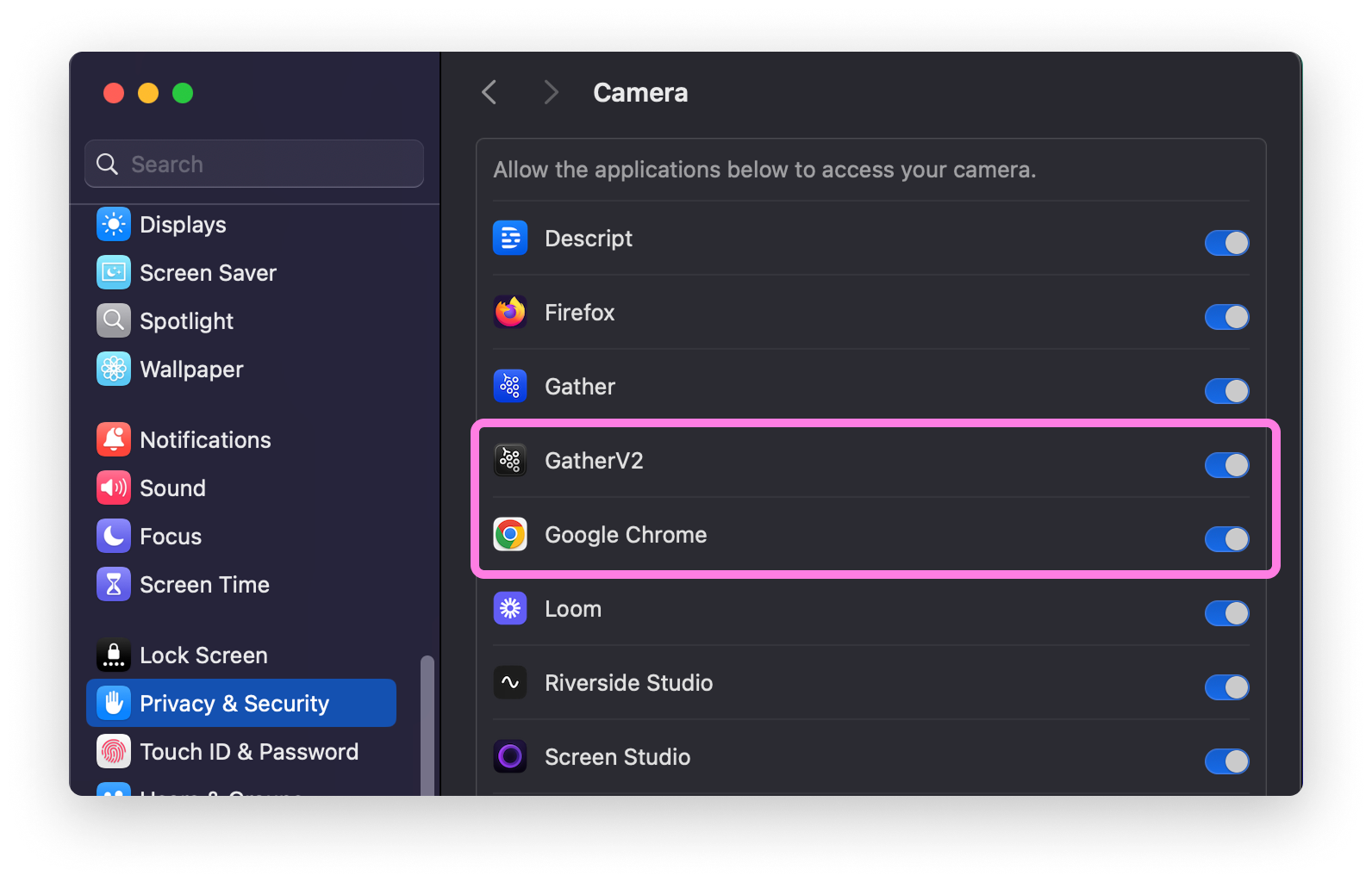
For more assistance, please refer to these instructions from Apple for setting permissions on an Apple Mac.
Windows Settings
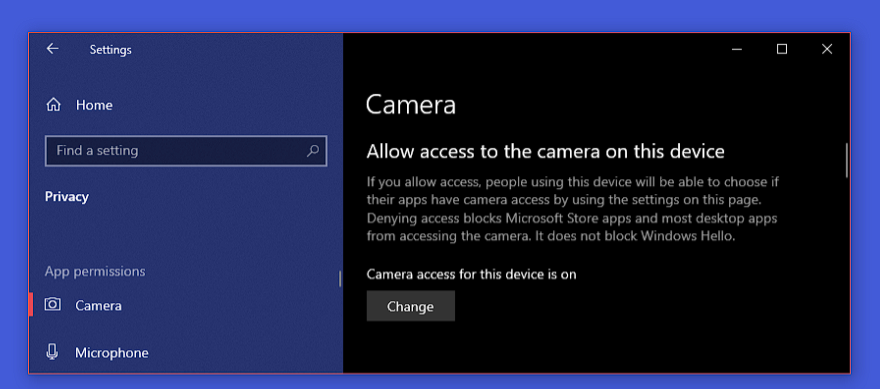
Go to Start > Settings > Privacy. In the App Permissions column on the left, click Camera or Microphone. The steps will be the same for both.
First, make sure you allow access to the camera/microphone on your device.
Next, scroll down to Allow desktop apps to access your camera/microphone. Make sure this is toggled On and that you can see either the Gather Desktop App or the browser you're using to access Gather.
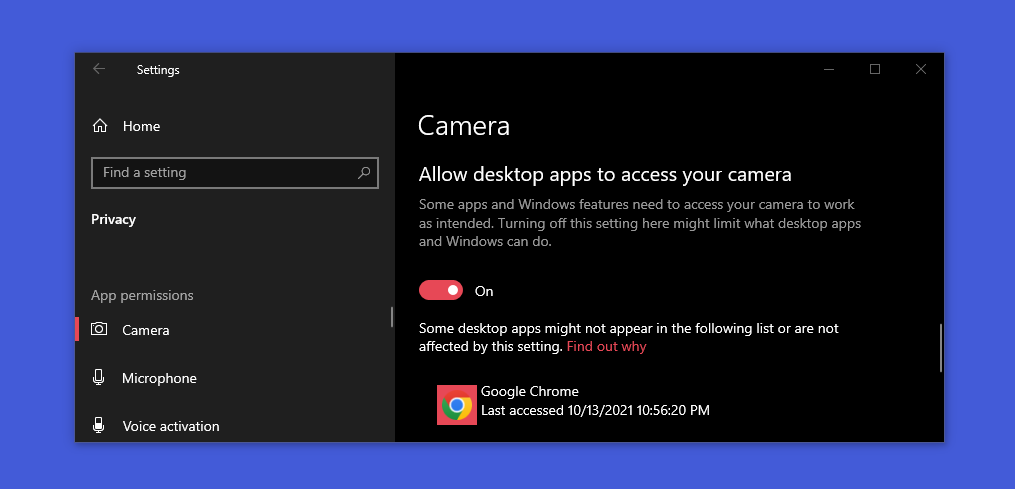
For more assistance, please refer to these instructions from Microsoft for setting permissions on a Windows PC.
Chrome Settings
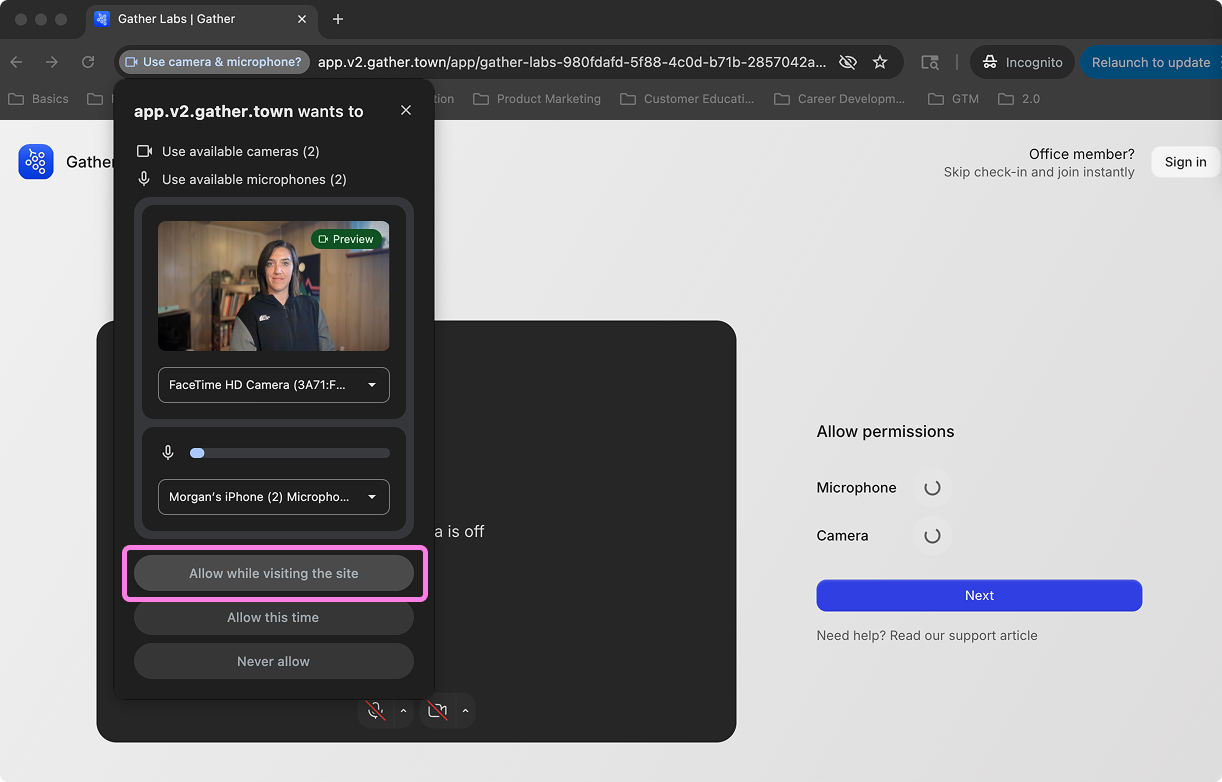
When you first enter a Gather workspace in Chrome (or if you've cleared your Chrome history), you'll see a pop-up asking for camera and microphone permissions.
Select Allow while visiting this site to allow Gather to access your microphone and camera every time you enter your workspace.
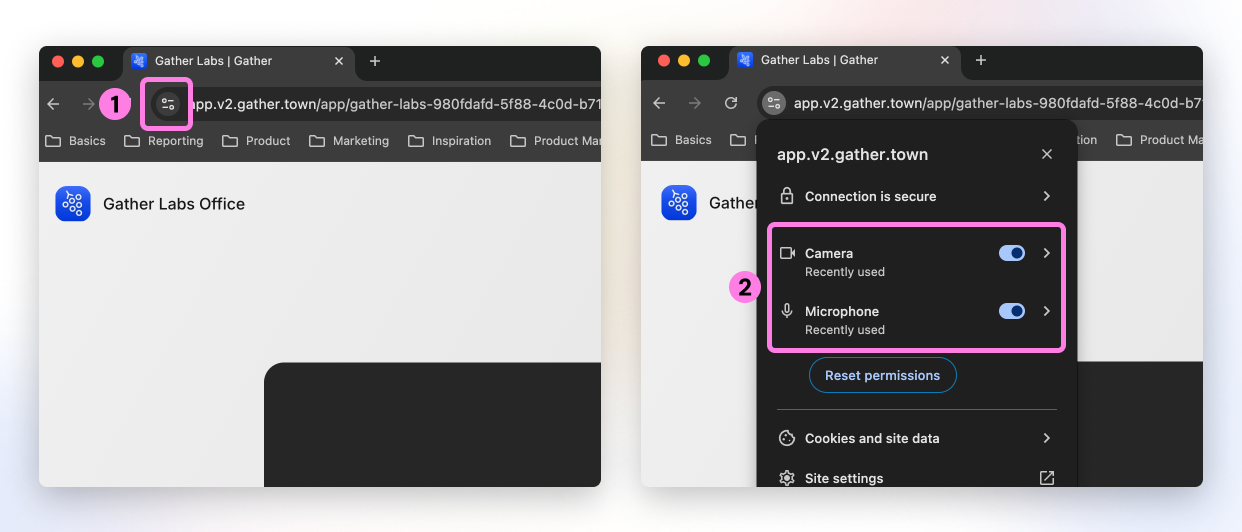
To view or change your Chrome permissions, click the icon to the left of the URL. Here you can toggle camera and microphone access on/off.
To submit a bug report or share feedback:
Open the Main Menu and select ‘Report an issue’
Or email support@gather.town