Link 1.0 Subscription to 2.0 Space
Last updated: July 23, 2026
Creating new links between 1.0 and 2.0 spaces has been disabled since Jan 31st, 2026.
Existing links will remain active after this date and you will continue to redeem members seats in your 2.0 subscriptions based on your 1.0 space capacity.
This change will only affect you if you haven’t yet linked your 1.0 space with 2.0 and wish to try 2.0.
If you have any questions, please reach out to our team.
If you have an active 1.0 subscription, you can link it to your 2.0 space. This will allow you to redeem member seats equal to your 1.0 space capacity when you set up your 2.0 subscription. This will ensure you're only charged once, even though you'll have two subscriptions.
For example: if you have a space capacity of 35 users on your 1.0 subscription, you’ll redeem redeem up to 35 members for your 2.0 office.
As a reminder, Gather 2.0 charges based on the total number of Members, instead of concurrent users. As a result, your monthly or annual subscription cost may change compared to Gather 1.0. If you have concerns about the difference of this cost, please reach out to our team.
To link your subscription (Admins only):
Before linking your subscription, you need to create your 2.0 space. Click here to get started or read our full migration guide for advice on migrating your team.
Open your Gather 1.0 space dashboard (Main Menu > Settings > Advanced > Space Dashboard > Plans & Billing)
On your active subscription, click Manage > Link to your Gather 2.0 space
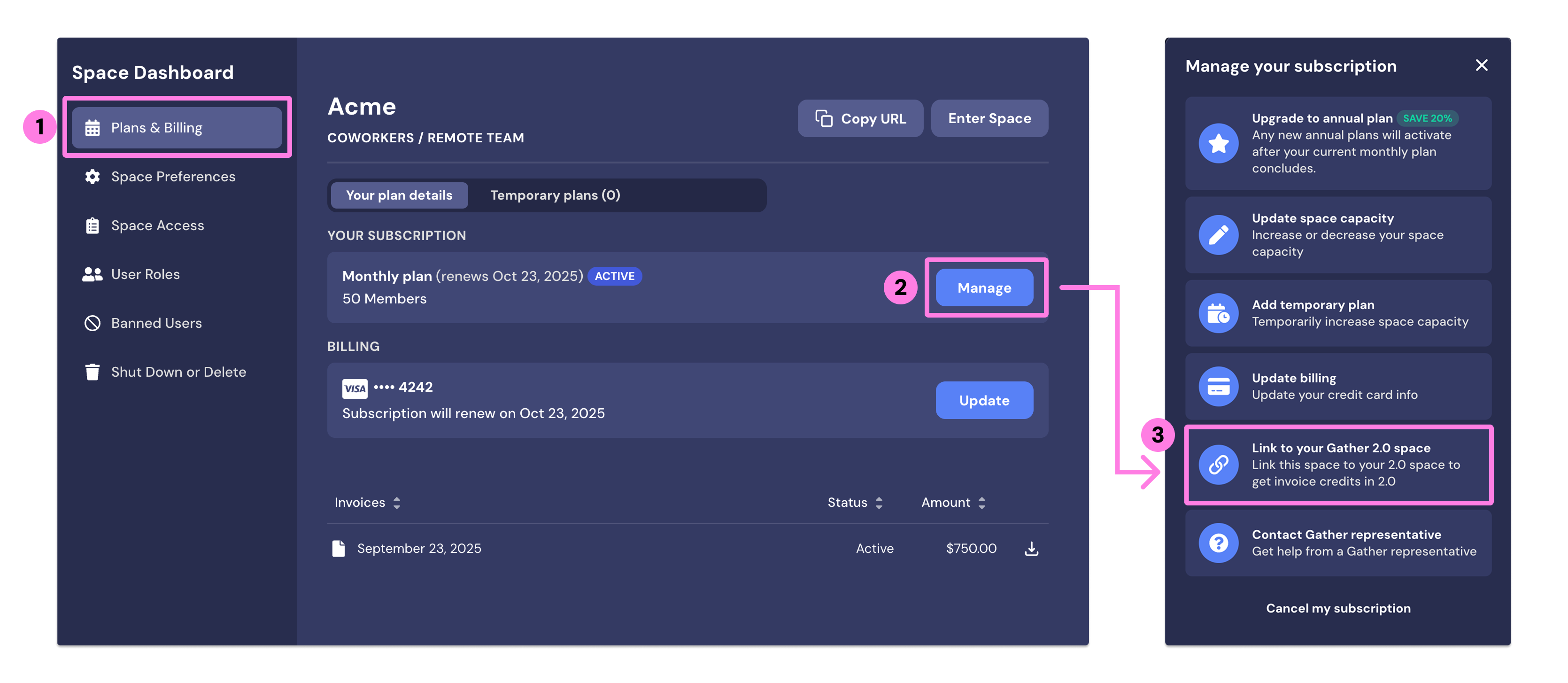
Select the 2.0 office you want to link your subscription to
Next, return to Gather 2.0 to set up your subscription
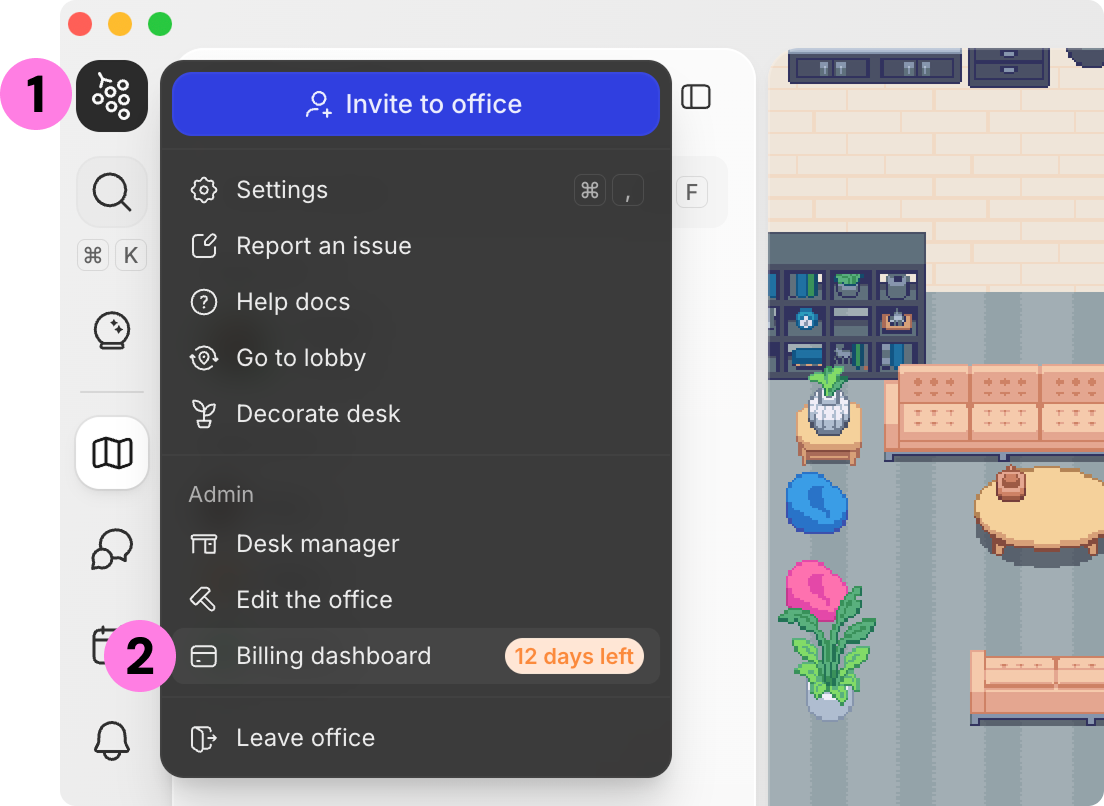
In Gather 2.0, open the Main Menu and click Billing Dashboard
Select monthly or annual billing and complete the payment steps
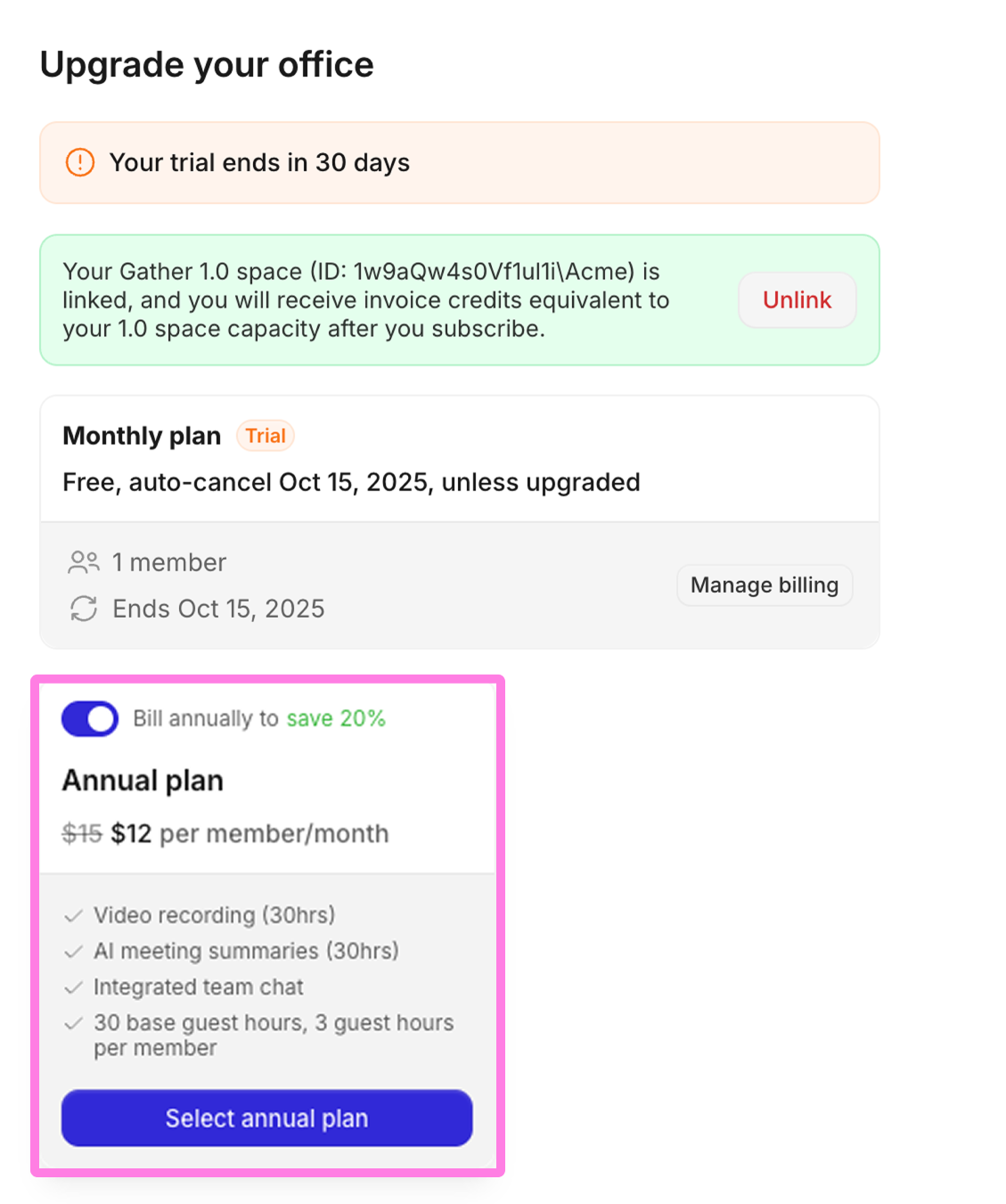
The first payment will be due at the end of your 2.0 free trial. Your credits from linking your 1.0 space will be applied at this time.
If your credits exceed or match the number of members in your 2.0 office, the invoice will show no charge.
If you have more members in your 2.0 office than your 1.0 credits cover, the invoice will charge you for the difference.
To unlink your subscription (Admins only):
Navigate to your 2.0 Billing Dashboard by going to Settings > Billing Dashboard > Open Dashboard
In the box with linked subscription details, click Unlink
Enter
unlinkand click Confirm.
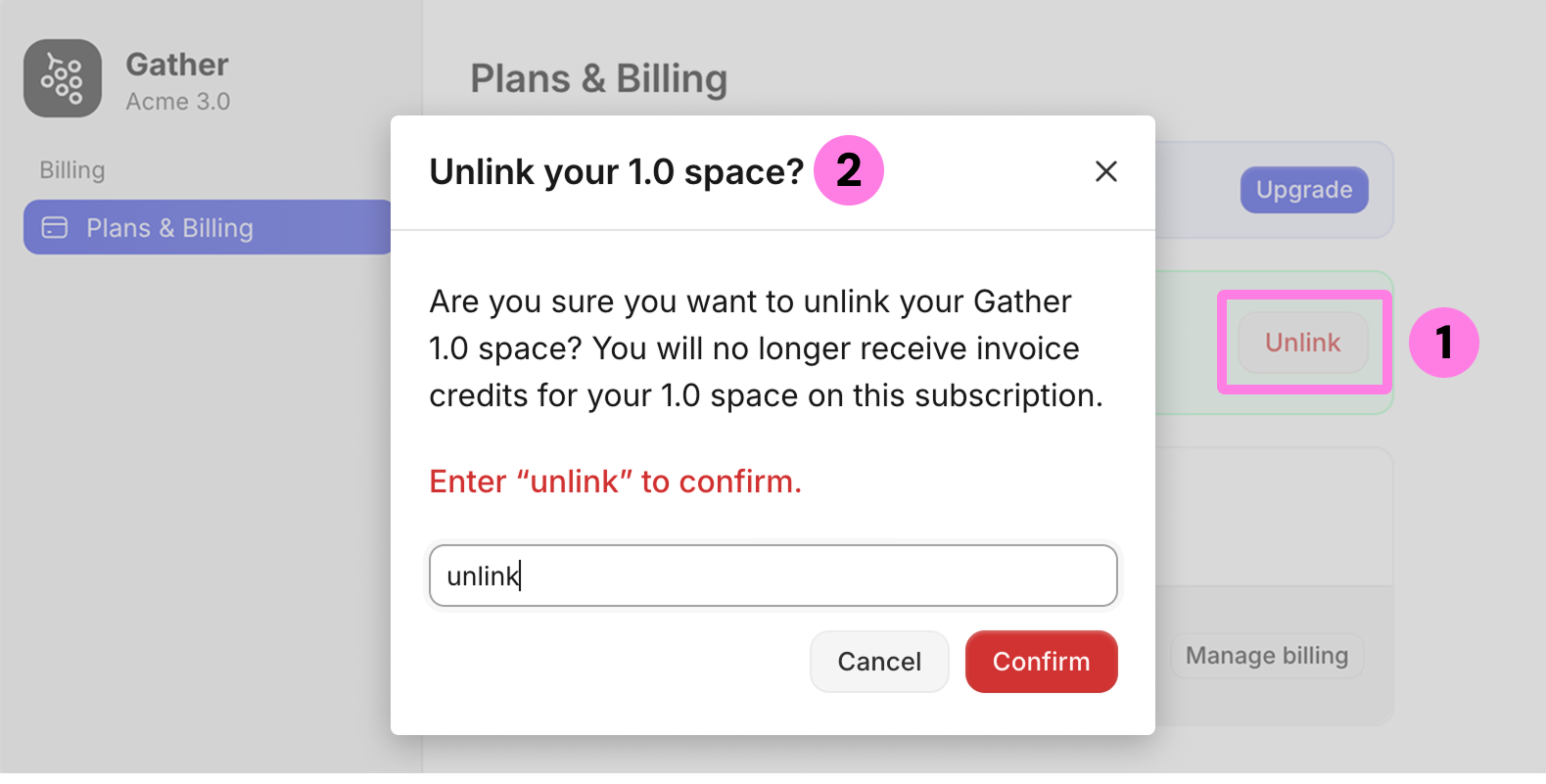
If you unlink your 1.0 space, you will no longer receive invoice credits on your 2.0 subscription.
FAQs
What if I need more 2.0 members than my current 1.0 space capacity?
No problem, you can add new members at any time! They’ll automatically be added to your subscription at the new rate of $15/member/month (billed monthly) or $12/member/month (billed yearly).
If you locked in your Gather 1.0 price before September 15th, 2025, please contact us for a discount code to add additional members at your locked-in rate.
Learn more: 📄 Adding & Removing Members
Can I still access my 1.0 space after linking my subscription?
Yes! You’ll maintain access to your original 1.0 space for the duration of your 1.0 subscription.
Do I need to cancel my 1.0 subscription after setting up my 2.0 subscription?
No, you do not need to cancel your original 1.0 subscription. That’s how we calculate your member credits toward your 2.0 subscription.
If you no longer need access to your 1.0 space, you can cancel your 1.0 subscription and maintain only your 2.0 subscription. However, once you do this, your team will lose all access to your 1.0 office.
To submit a bug report or share feedback:
Open the Main Menu and select ‘Report an issue’
Or email support@gather.town