Reading Your Gather 2.0 Invoice
Last updated: November 14, 2025
To help you understand your Gather 2.0 invoice, we’ve collected examples of different items you might see listed.
Invoices are sent to all workspace admins when payment is due, or you can view them at any time by navigating to Main Menu > Billing Dashboard. If you have any questions about the total amount you’ll owe, please reach out to us at support@gather.town.
“Monthly Member Trial”
Whenever you add a new member to your workspace, they receive two free weeks. On your invoice, this is listed as the “Monthly Member Trial.” On a monthly subscription, this will show as a 46.03% discount. On an annual subscription, this will show as a 3.84% discount.
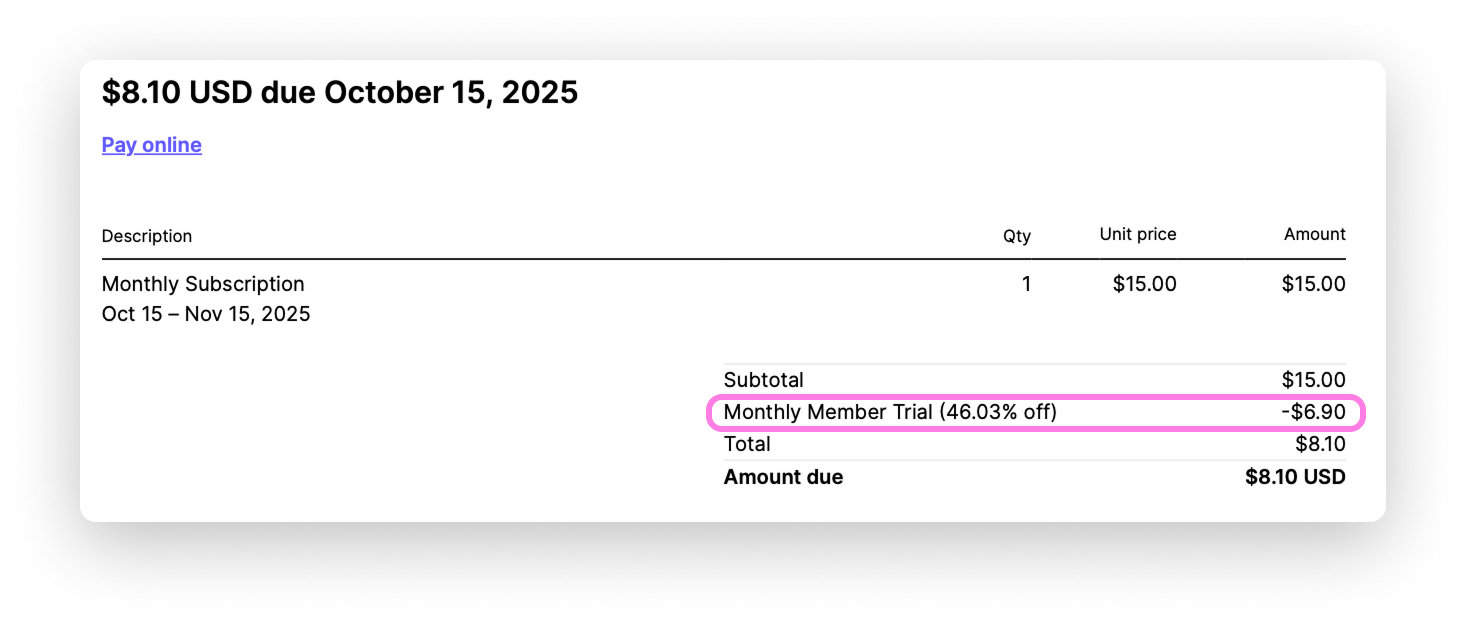
This line item will always be negative, indicating that it’s a discount that will reduce your total amount due for the period. It only applies to new members added to your workspace during that billing period.
“Up to X included free members”
If you linked a Gather 1.0 space to your 2.0 space, you’ll see “Up to X included free members” on your invoice. This gives you credit toward your 2.0 subscription equal to the space capacity of your 1.0 subscription.
In the example below, a 2.0 space has three members and linked a 1.0 space with a space capacity of three. Since the 1.0 space has enough capacity to cover the 2.0 member count, the monthly total for the 2.0 space comes out to $0.
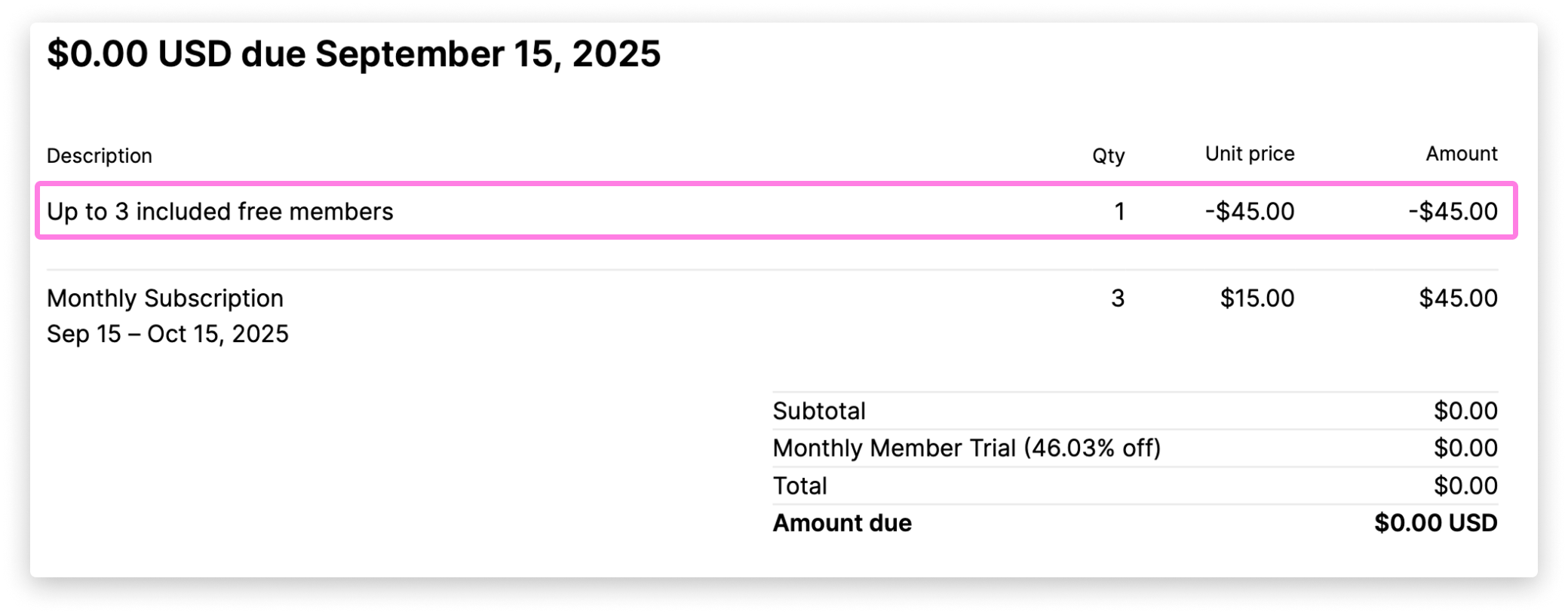
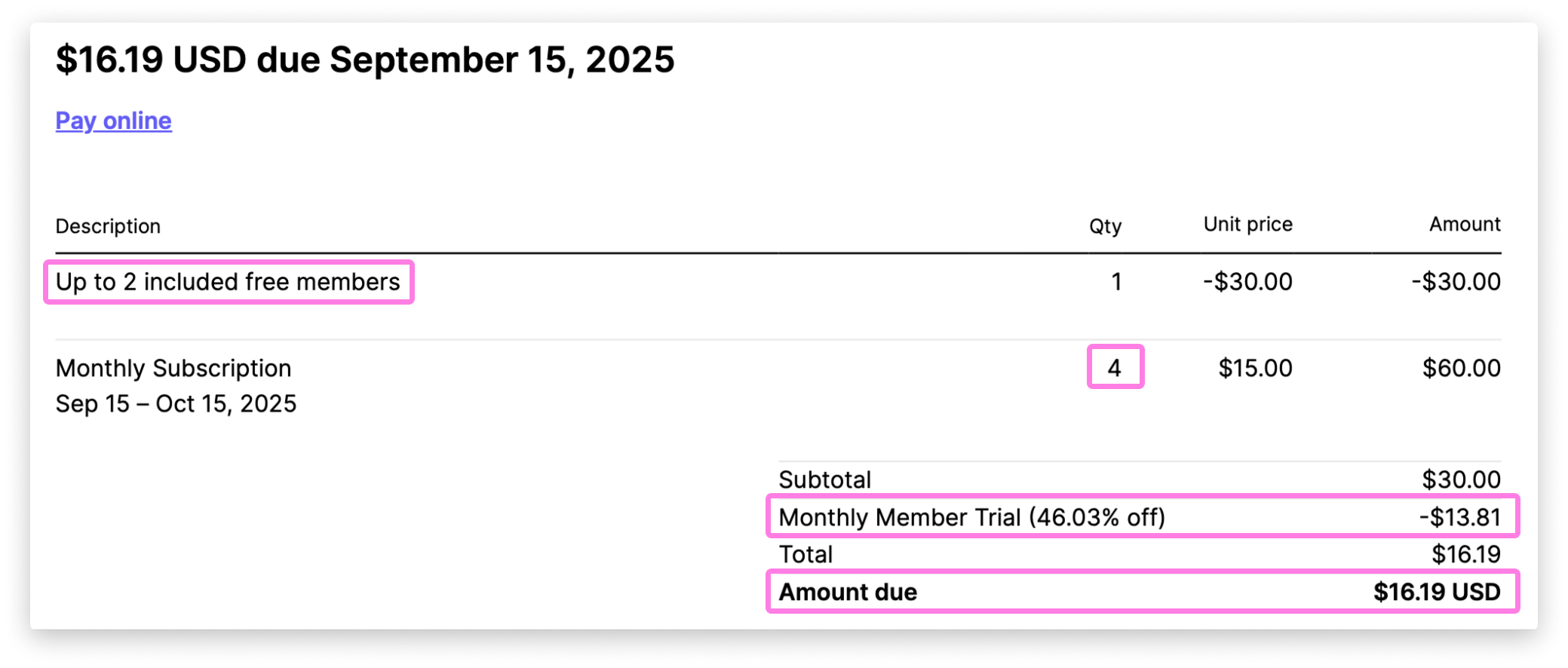
If the count of members in the 2.0 space exceeds the space capacity of the 1.0 space, the difference will be listed as the “Amount due.” .
The example below shows a 2.0 space with four members, linked to a 1.0 space that gives up to two free members. The subtotal is the price difference for the remaining two members (in this case, $30). The remaining two members get to take advantage of the “Monthly Member Trial” discount, which reduces the total to $16.19.
“Previous cycle proration”
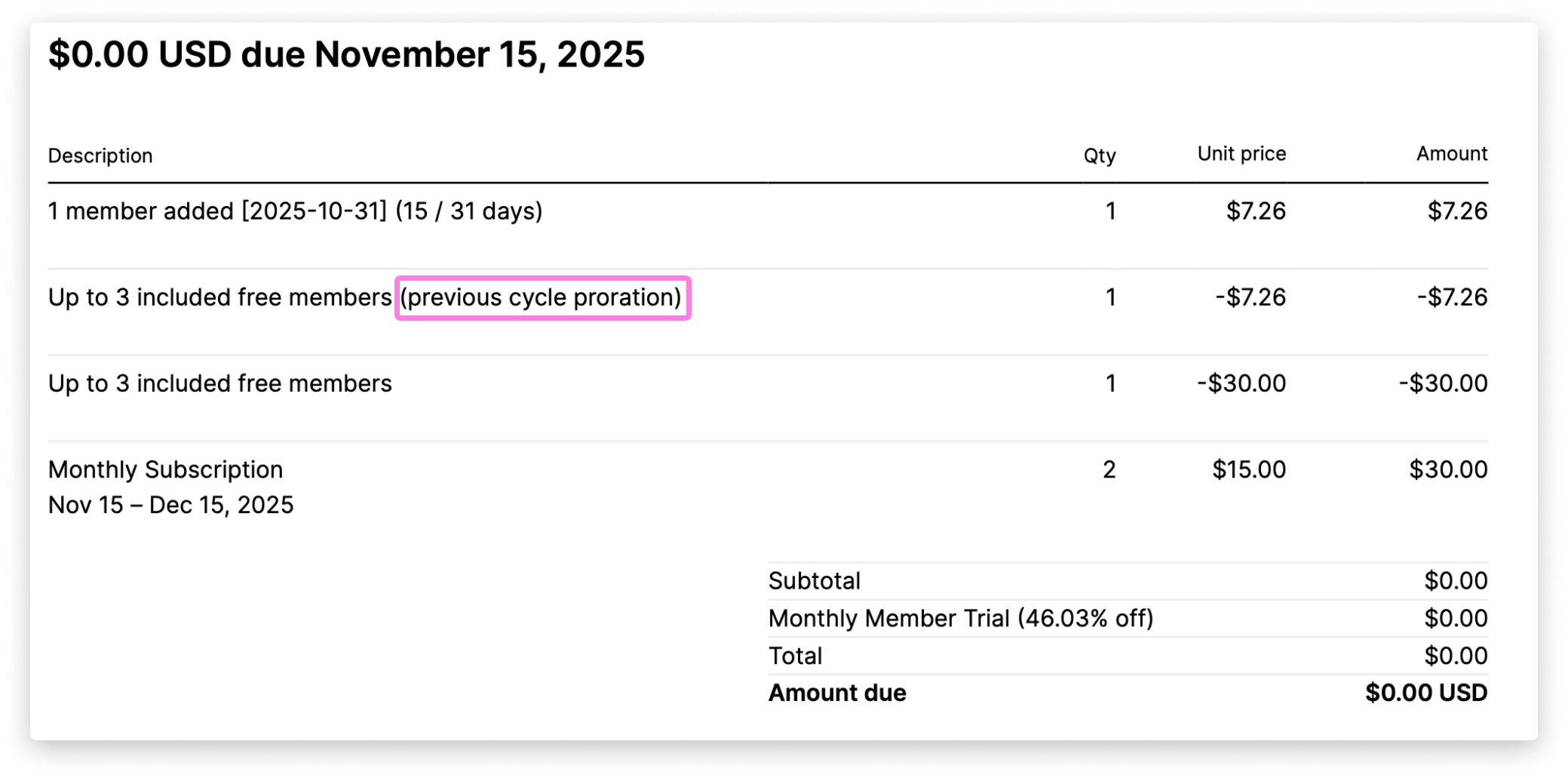
If a new member is added to a 2.0 space with a linked 1.0 space mid-billing cycle, and the number of paid users in the 1.0 space is still equal to, or greater than, the number of paid members in the 2.0 space, the invoice will look like the example below. The prorated total will be zeroed out to reflect that this new member is still covered by the member count of the linked 1.0 space.
To submit a bug report or share feedback:
Open the Main Menu and select ‘Report an issue’
Or email support@gather.town