Keyboard Shortcuts
Last updated: October 13, 2025
Action Shortcuts
Action | Shortcut (Mac) | Shortcut (Windows) |
Turn both microphone & camera on/off |
|
|
Search people, areas, and more |
|
|
Walk around |
|
|
Ride around on a go kart | Hold | Hold |
Return to your desk |
|
|
Change status to Available |
|
|
Change status to Busy |
|
|
Change status to Away |
|
|
Show your location |
|
|
Start nearby chat |
|
|
Emote Shortcuts
Use your keypad to quickly react with emojis.
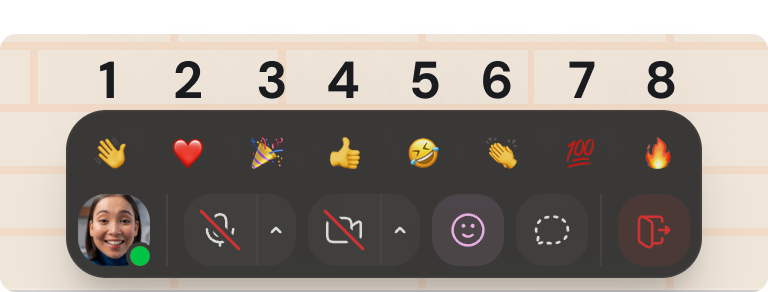
1= 👋 Wave2= ❤ Heart3= 🎉 Party Popper4= 👍 Thumbs Up5= 🤣 Laugh6= 👏 Clap7= 💯 One Hundred8= 🔥 Fire
To submit a bug report or share feedback:
Open the Main Menu and select ‘Report an issue’
Or email support@gather.town