Chat Overview
Last updated: October 6, 2025
Overview
There are three types of chat messages in Gather:
Primary Chat: Visit the Chat tab for seamless and familiar messaging right within Gather. Create channels, send DMs, & thread conversations.
Meeting Chat: Send messages during meetings that persist only while the meeting is in progress.
Nearby Chat: Send quick, temporary chat messages that only display to people near you in Office view.
Primary Chat
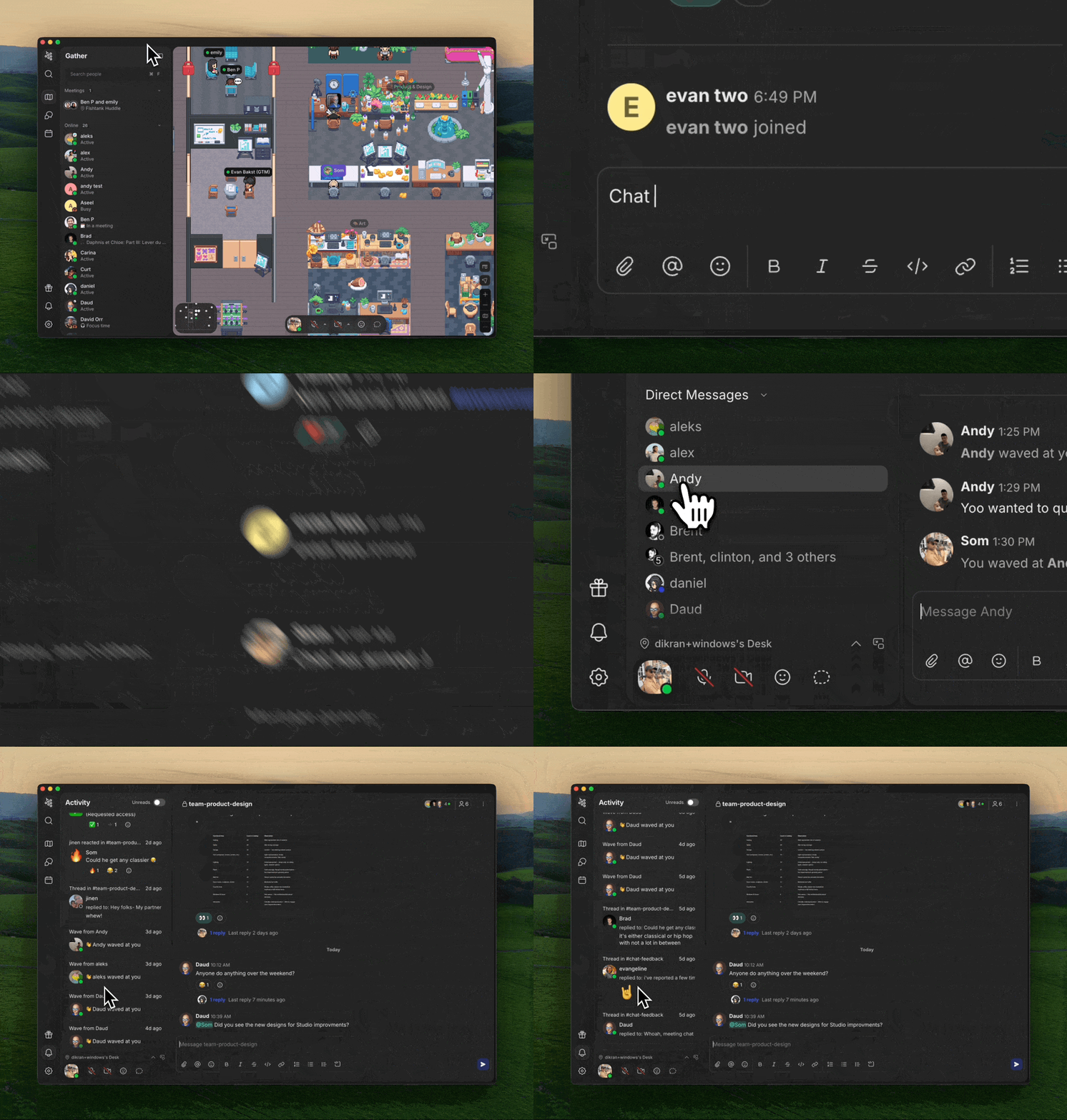
Chat anytime without switching apps. The Chat tab offers a dedicated view to focus on messaging teammates.
Features include:
Create public & private channels
Send DMs & group messages
Add attachments
Thread conversations
React with emojis
@people or#channels to mention themFormat messages with markdown, code blocks, quotes, or lists
Search across all messages and filter by channel or sender
You'll only see messages you have access to. Private channel or DM content will only appear if you're a member of that conversation
Primary chat messages are retained indefinitely unless a channel is delated. Deleting a channel will also delete the messages within it.
Meeting Chat
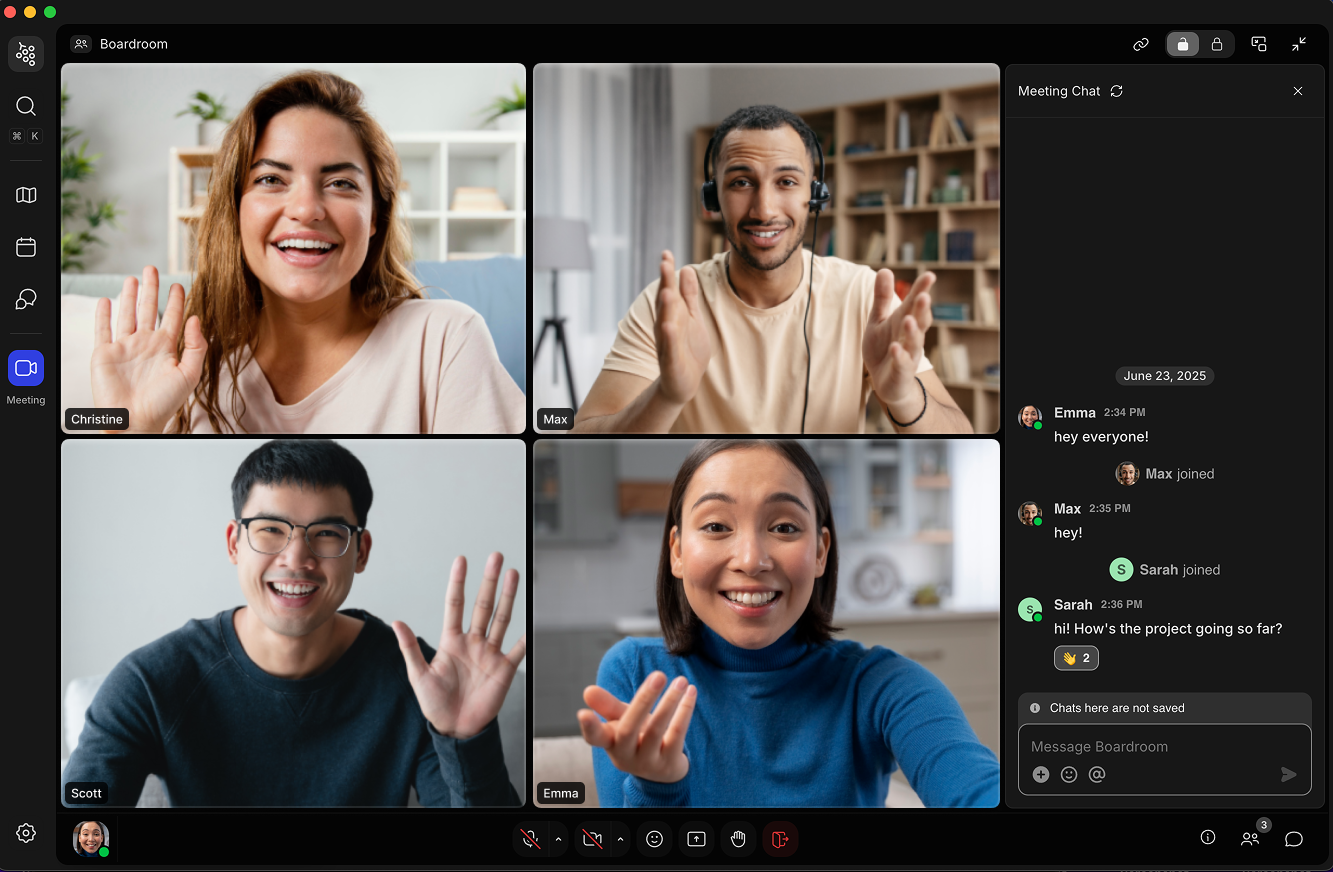
Message the people you’re talking to, whether you’re in a scheduled meeting or a spontaneous conversation. You’ll see all chat messages displayed in the feed on the right side of the screen.
In addition to typing chat messages, you can:
React to messages with emojis
Add attachments
@people to mention them directly
Meeting chat messages will disappear after the meeting ends, but thanks to Gather AI Meeting Notes, you'll have all important details saved to review later.
Nearby Chat
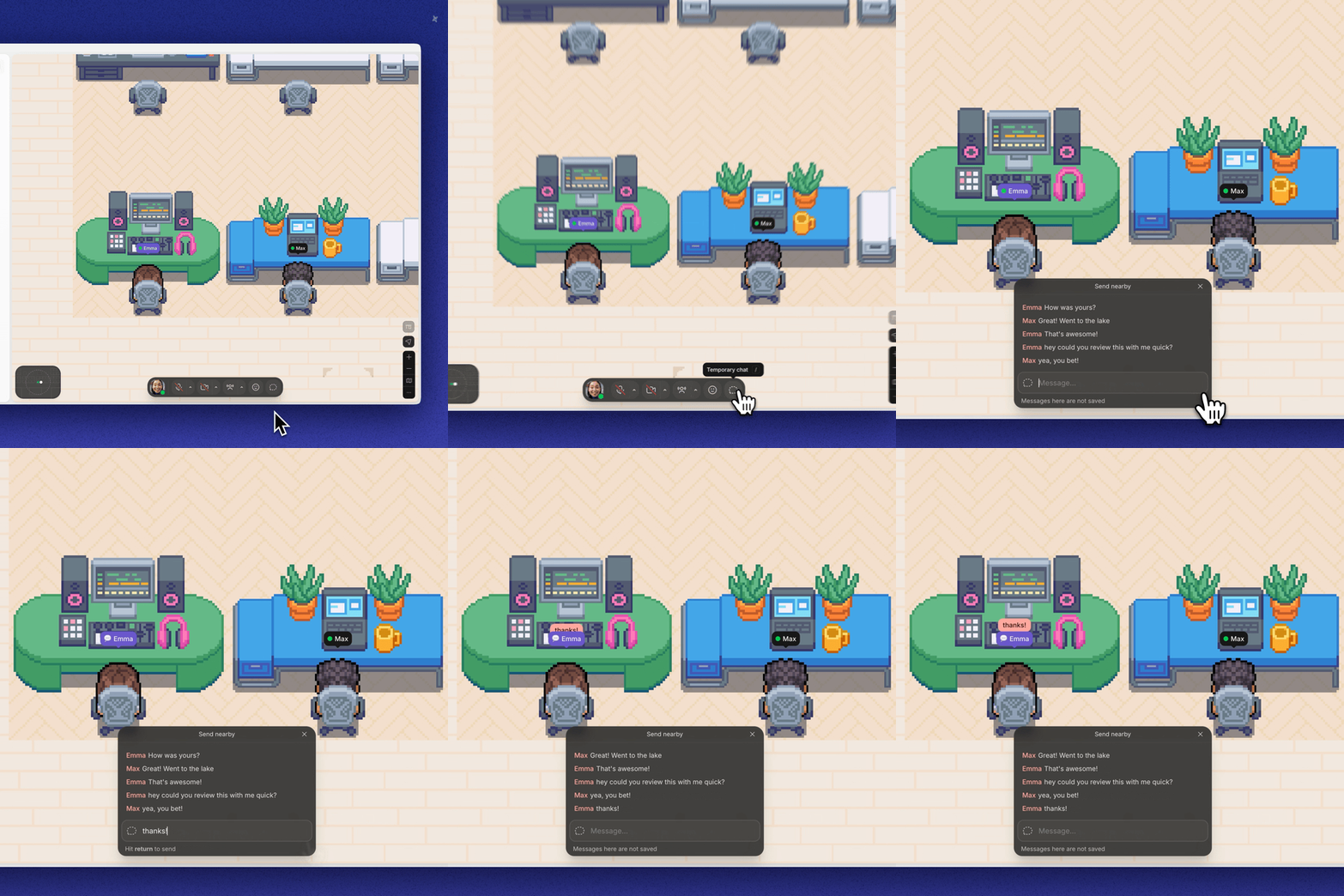
Type / to send a quick chat message outside of meetings that’s visible to anyone near you. These messages display for a brief time above your avatar and in a small “Nearby Chat” window.
To Send A Nearby Chat:
Type
/and then the rest of your messageHit
Enterto send itSee the last 5 messages by clicking the Nearby Chat button
Nearby chat messages will disappear after a short time. They're meant to be a quick, temporary way to chat.
To submit a bug report or share feedback:
Open the Main Menu and select ‘Report an issue’
Or email support@gather.town