Meeting Recording, AI Notes, & Transcriptions
Last updated: October 26, 2026
Leave every meeting with an action plan. Record the video and generate AI meeting notes along with the full transcript.
You must be an Admin or Member to record meetings and generate AI notes.
Learn more: 📄 User Roles & Permissions
Start Recording & AI Notes
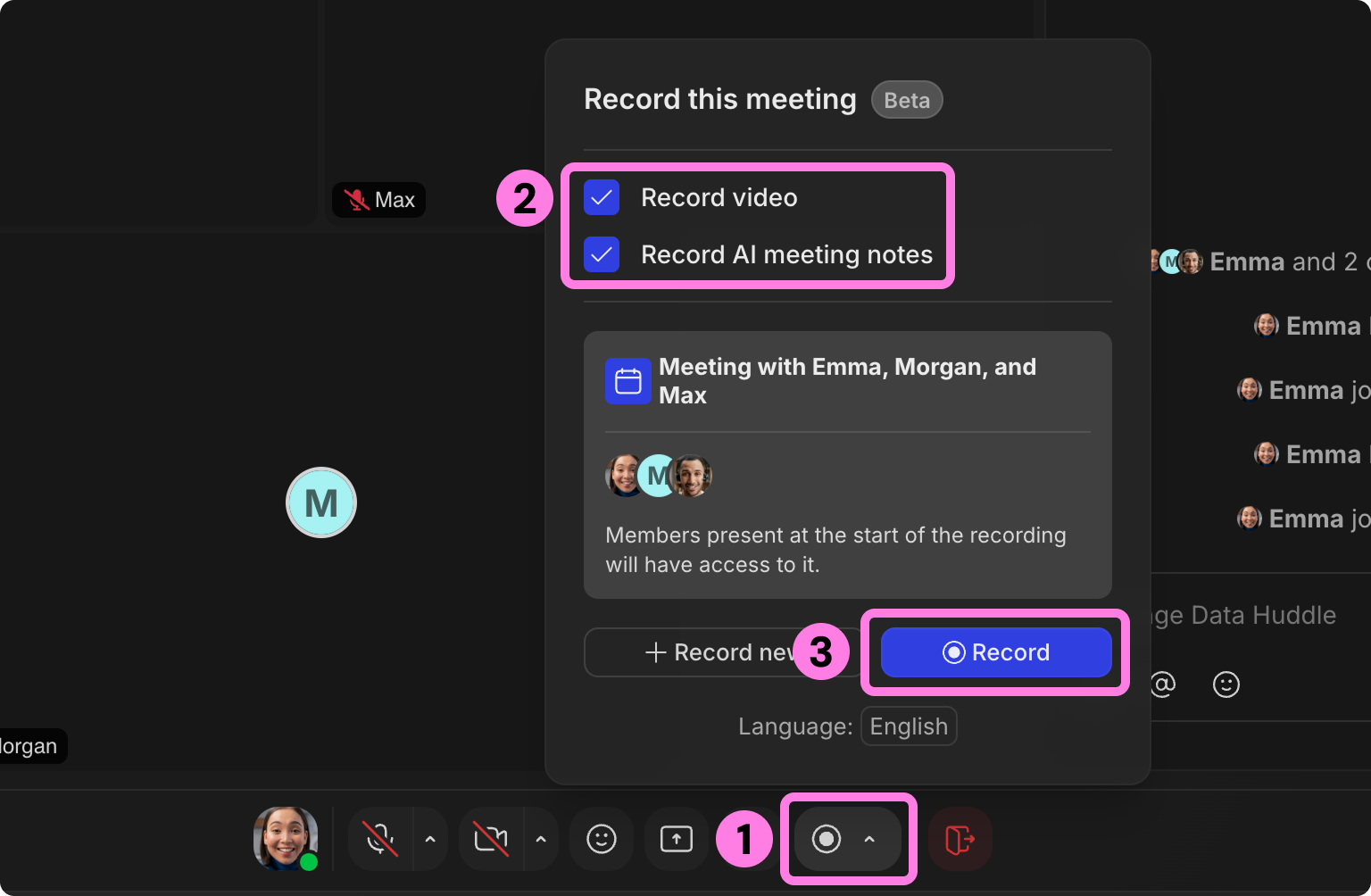
While you're in a meeting, click the Record icon at the bottom of the screen.
Select if you want to record the video, AI meeting notes (including transcript), or both.
Click Record to start.
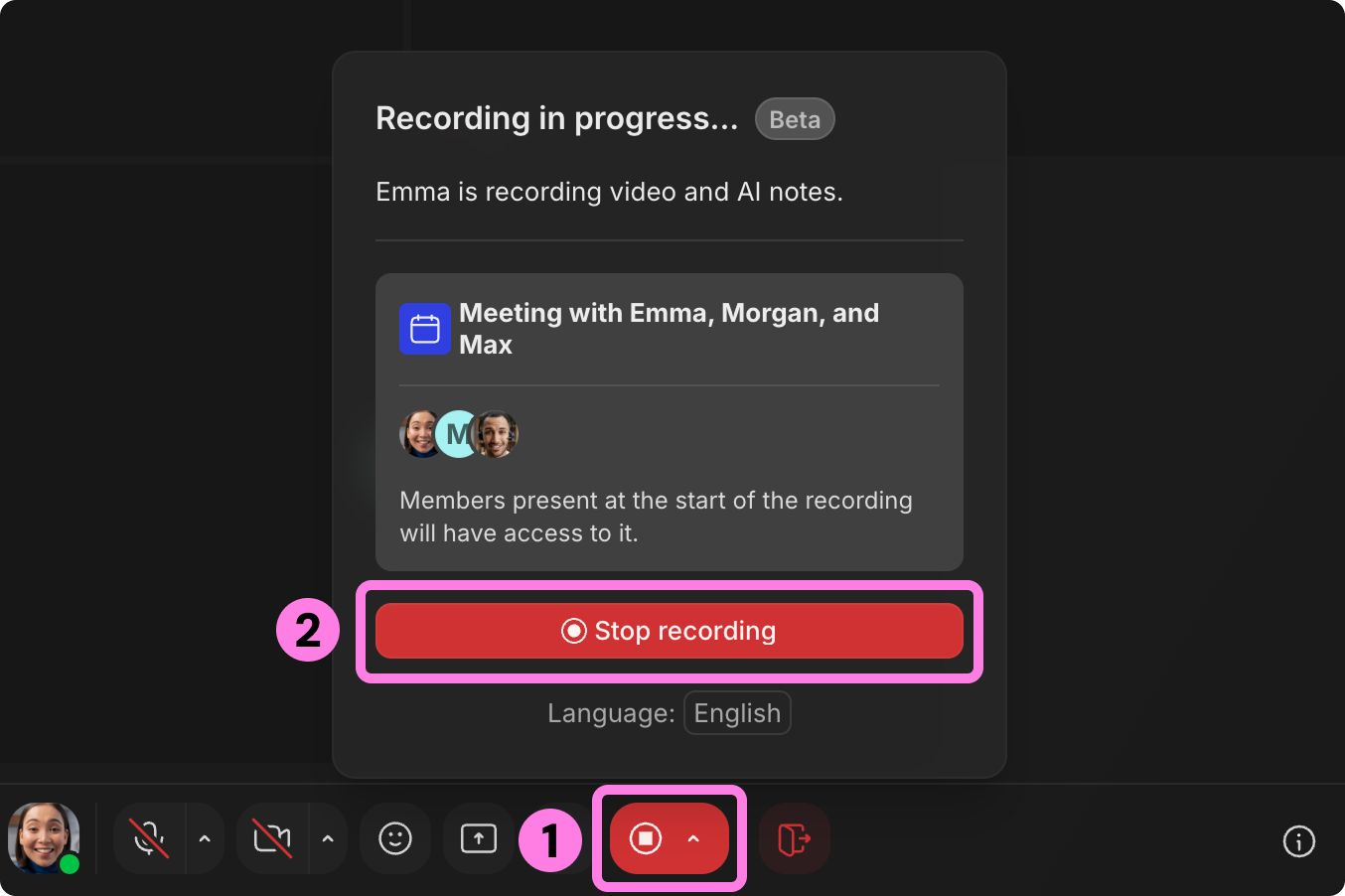
To stop the recording, click that same button at the bottom of the screen.
Click Stop recording.
View Recording & AI Notes
You'll receive a notification in your Activity Feed when a recording and/or meeting notes are ready.
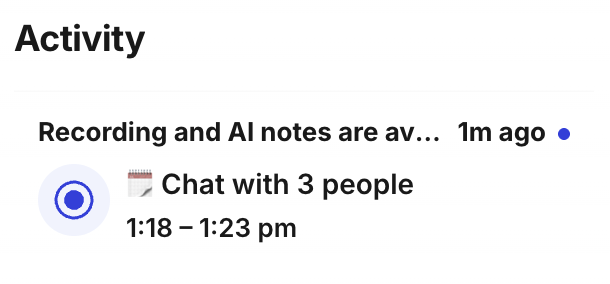
Click the notification for details of the meeting.
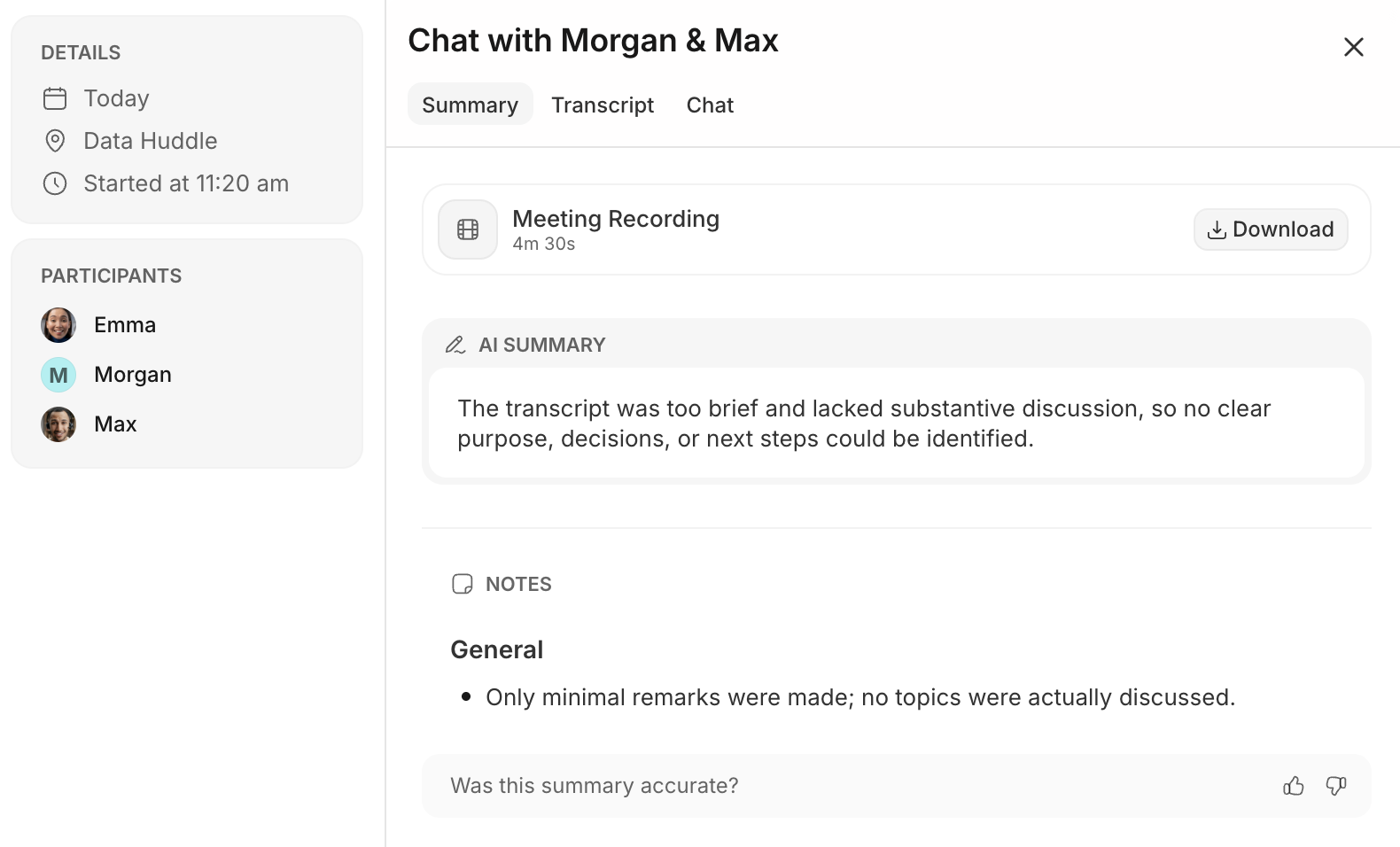
If a video recording is available, you can download it at the top of this window.
If AI notes are available, you'll see a summary of the conversation along with notes.
Click the Transcript tab at the top to view the full transcript of the meeting.
The meeting recording and notes will only be available to Members or Admins who were present at the start of the recording.
How Recording Hours Work
Each hour someone records video in your workspace uses 1 Recording Hour.
Your Team's Monthly Allowance
Free trial: 3 recording hours
Paid plans: 2 recording hours per member (minimum 20 hours)
Examples:
5-person team = 20 recording hours (the minimum)
20-person team = 40 recording hours (20 × 2)
50-person team = 100 recording hours (50 × 2)
Most teams will never hit this limit, but coming soon, you can purchase additional recording hours at $2 each.
How Transcription Hours Work
Generating AI Meeting Notes counts as Transcription Hours; for example, one hour of notes uses 1 Transcription Hour.
Your Team's Monthly Allowance
Free trial: 5 transcription hours
Paid plans: 3 transcription hours per member (minimum 30 hours)
Examples:
5-person team = 30 transcription hours (the minimum)
20-person team = 60 transcription hours (20 × 3)
50-person team = 150 transcription hours (50 × 3)
Most teams will never hit this limit, but coming soon, you can purchase additional transcription hours at $0.50 each.
To submit a bug report or share feedback:
Open the Main Menu and select ‘Report an issue’
Or email support@gather.town