Start & Manage Subscription
Last updated: April 15, 2026
When you create your Gather workspace, your first month is on us! You'll automatically be enrolled in a free 30-day trial.
After that, you'll need to start a monthly or annual subscription. Your total cost will depend on the number of seats you purchase. One seat = one member in your workspace.
View pricing for more details.
Start your subscription
Open the Main Menu and click Billing Dashboard
Use the toggle on the pricing card to select a monthly or annual plan
Finish setting up the payment method
The first payment will be due at the end of your free trial
Note: When you first start your subscription, the total seat count will match the number of members in your workspace. To change the seat count before you start your subscription, add or remove members.
Add or remove seats
Once you start your subscription, you can adjust the number of seats in your plan at any time. The number of seats must be equal to or greater than the number of members in your workspace.
Open the Main Menu and click Billing Dashboard
Click on Manage billing
Click Update Seats
Save your new seat count
Note: If you’re adding members, make sure to adjust your seat count first. If removing members, remove them from your workspace first. This will ensure your seat count is always greater than or equal to your member count.
Adding seats
When you add seats to a monthly or annual subscription, you’ll pay a prorated amount for the remainder of time until your next invoice.
Examples:
Your monthly plan for 20 seats renews on the 15th of each month. You add 5 seats on March 1st. You’ll pay $37.50 on March 1st (the prorated amount for 5 users for 15 days) and $375 per month going forward (25 users x $15/month).
Your annual plan for 40 seats renews on September 15th. You add 5 seats on March 15th. You’ll pay $360 on March 15th (the prorated amount for 5 users for 6 months) and $6,480 on September 15th when your annual subscription renews (45 users x $12/month x 12 months).
Removing seats
When you remove seats from a monthly or annual subscription, you’ll receive a credit toward your next invoice.
Examples:
Your monthly plan for 20 seats renews on the 15th of each month. You remove 5 seats on March 1st. You’ll receive a $37.50 credit toward your next invoice (the prorated amount for 5 users for 15 days).
Your annual plan for 40 seats renews on September 15th. You remove 5 seats on March 15th. You’ll receive a $360 credit toward your next invoice (the prorated amount for 5 users for 6 months).
Note: You can’t have a total seat count lower than the number of members in your space. To reduce your seat count, make sure you remove members first.
Cancel subscription or trial
Open the Main Menu and click Billing Dashboard
Select Manage Billing
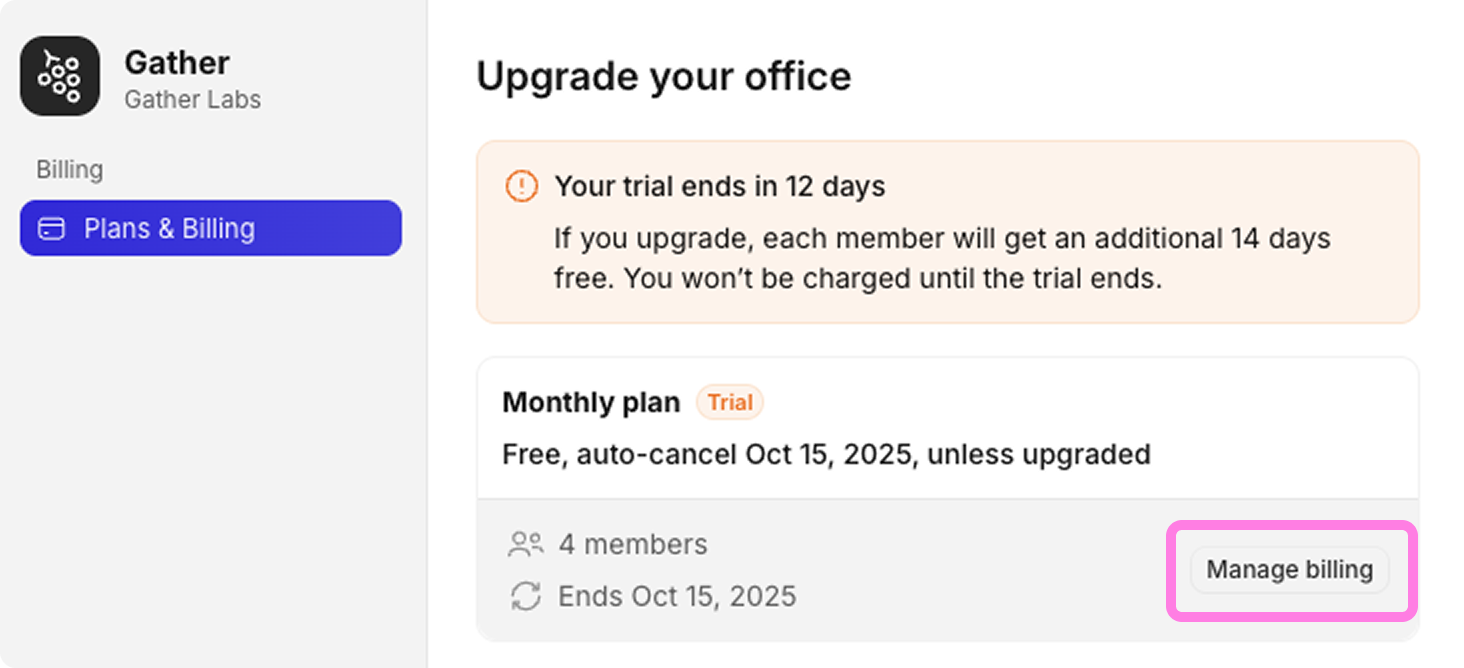
Follow the prompts to Cancel plan
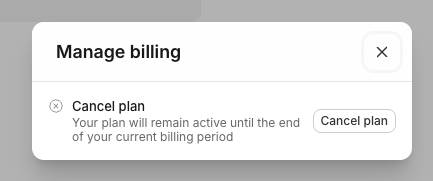
When you cancel, your plan will remain active until the end of your current billing period.
Update Billing Details
Open the Main Menu and click Billing Dashboard
Select Manage Billing
Follow the prompt to Update the Billing Info
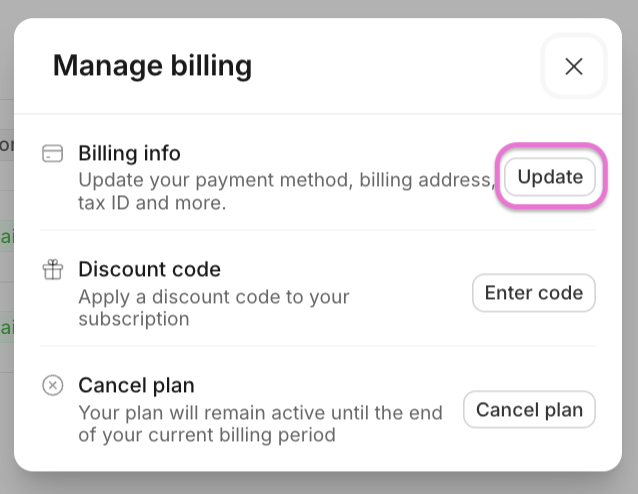
View Invoices
Open the Main Menu and click Billing Dashboard
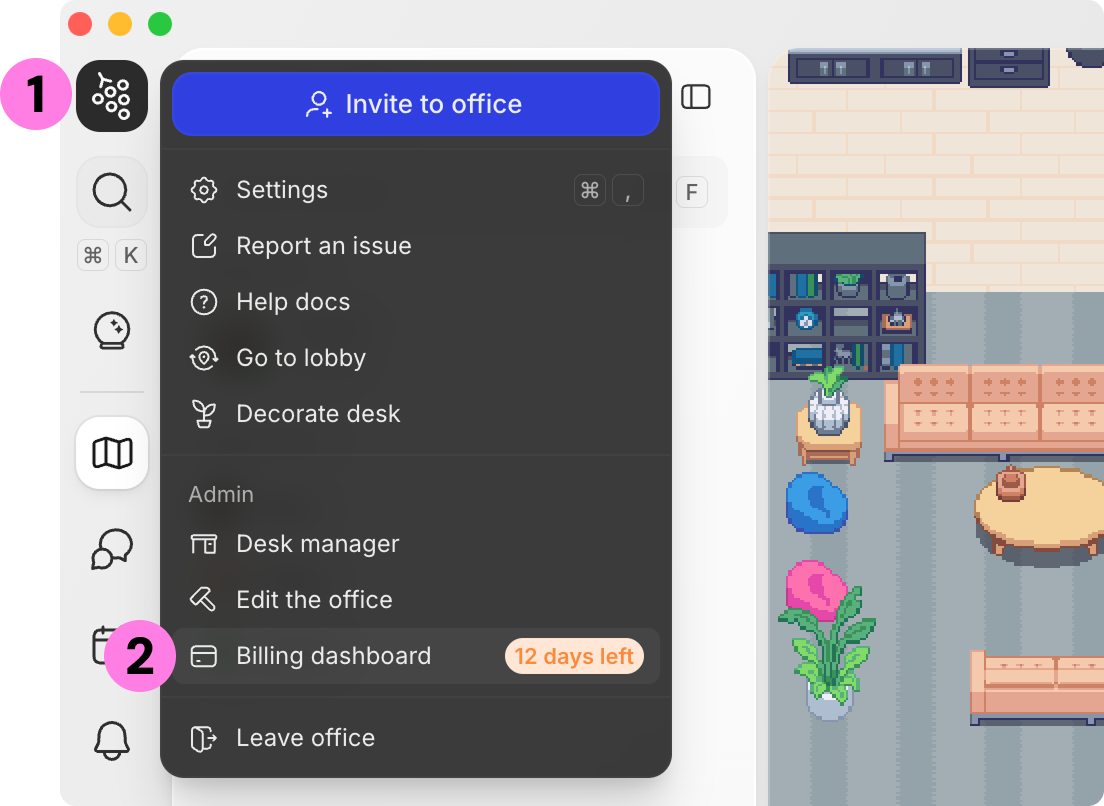
Find Recent Invoices at the bottom of the page
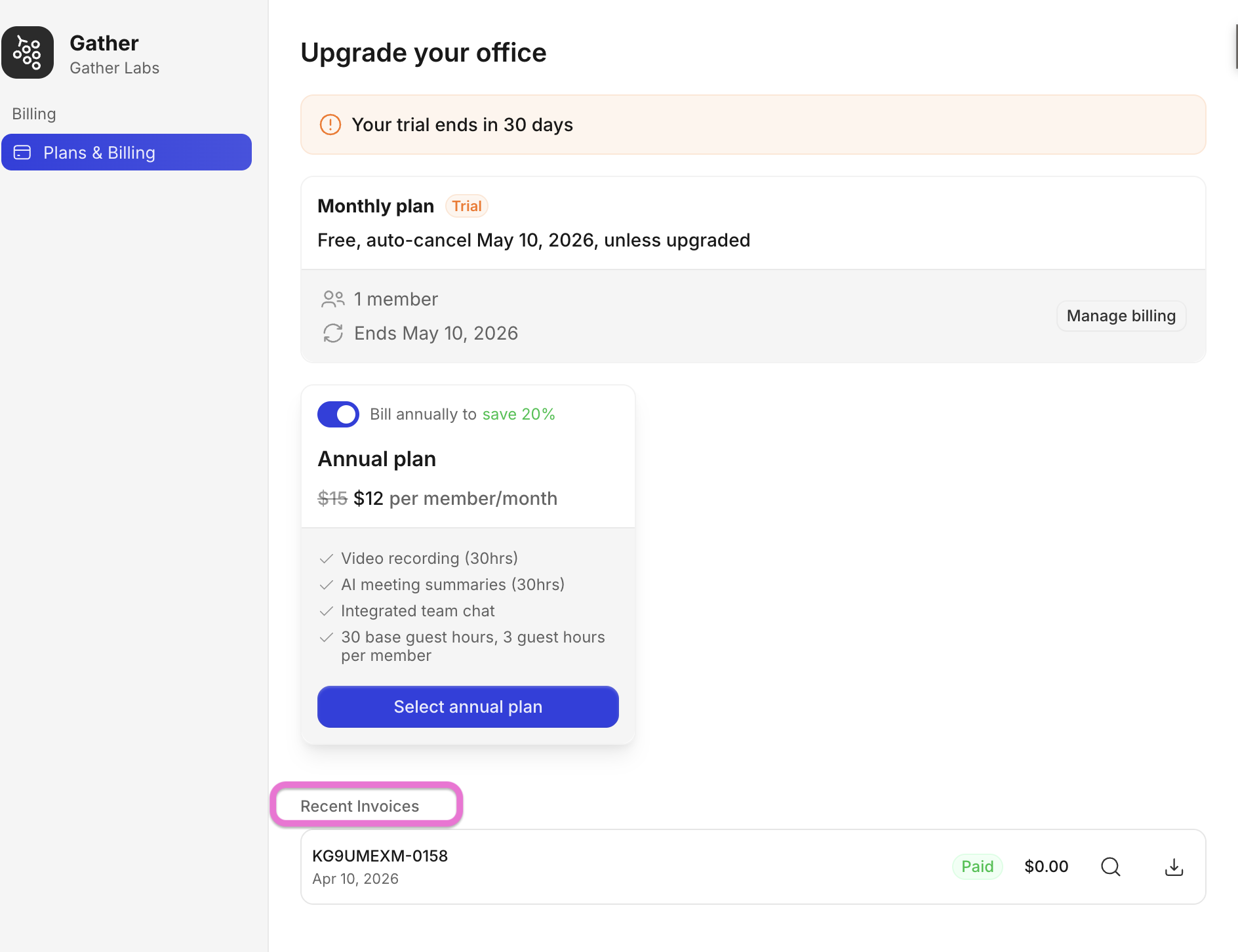
See invoice status, View the invoice, or Download the invoice directly from your billing dashboard.
FAQs
What should I do if I also have a Gather 1.0 subscription?
Read this guide to link your subscription: 📄 Link 1.0 subscription to 2.0 space
This will allow you to redeem member seats equal to your 1.0 space capacity when you set up your 2.0 subscription. This will ensure you're only charged once, even though you'll have two subscriptions.
What happens at the end of the 30-day free trial?
To continue using your workspace, you will need to upgrade to a monthly or annual subscription. If you do not upgrade, only one admin will be allowed to access your workspace at a time.
To submit a bug report or share feedback:
Open the Main Menu and select ‘Report an issue’
Or email support@gather.town